
Purpose: Find every school whose varsity team lists more than one head coach, or none, and fix it yourself or have the school’s athletic director fix it from a link in one email.
The problem this solves
Coach records come from two places: the state association’s lists and the schools’ own FinalForms data. When they disagree, a varsity team can end up with two or three “head coaches”, or with none. Until now, finding those teams meant comparing lists by hand, one sport at a time. This page lists them for you and lets you fix them, or send each one to the person at the school who knows the answer.
Before you start
- You are an association admin, or an admin of a school (athletic directors usually are).
- Your association’s state has its official sports on file in FinalForms.
Pick a sport and a school
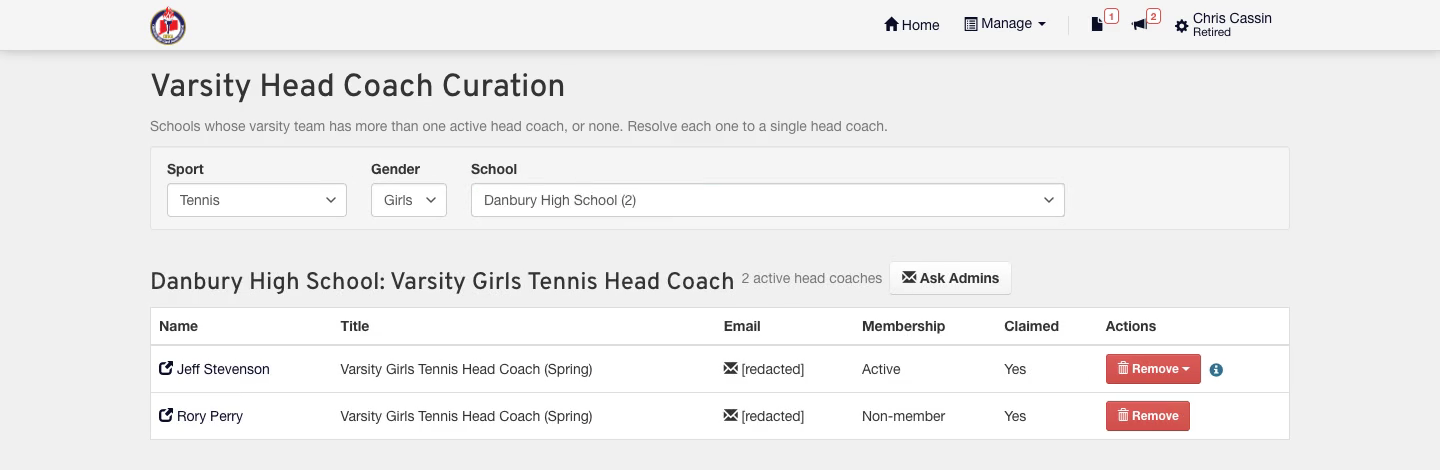
Open Manage → Varsity Head Coaches and choose a sport, then a gender if the sport has both. The School list puts schools with more than one head coach first, then schools with none. A school with exactly one head coach is already resolved, so it isn’t listed.
- Each row shows the coach’s membership and whether an athletic director has claimed them.
- A check mark next to a position means the state association has that coach on file for the team.
Remove the head coach who isn't current
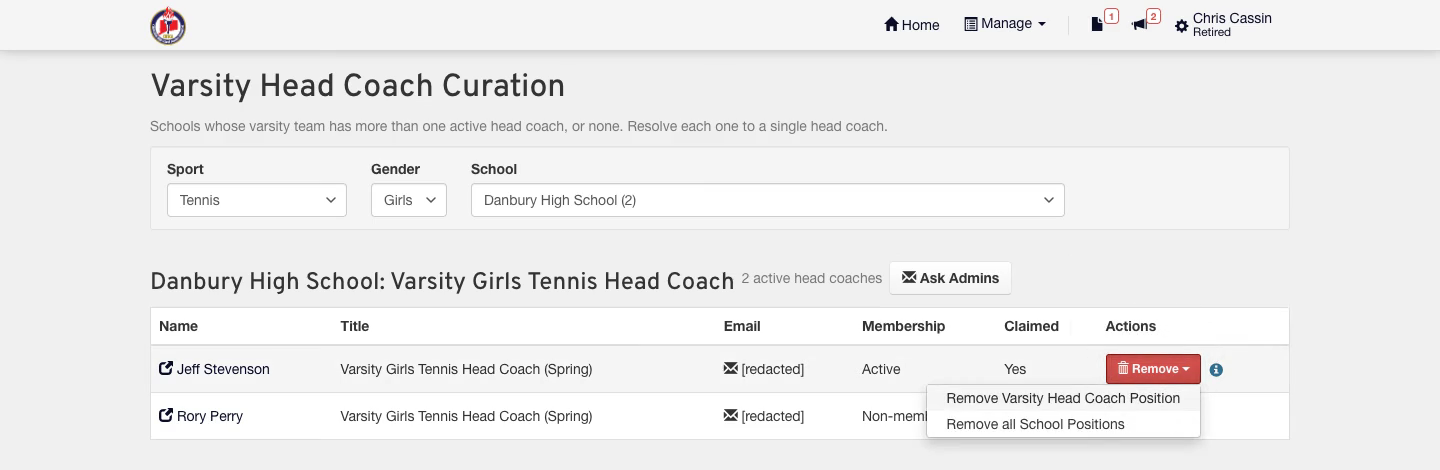
When a coach holds more positions at the school than head coach, Remove opens a menu: drop just the varsity head coach position, or remove every position they hold at the school. The information icon beside it lists those positions. When head coach is their only position at the school, it’s a single Remove button.
- You confirm before anything changes.
- A coach left with no positions anywhere is archived. Coaches with positions at other schools stay active.
Not sure who's current? Ask the school's admins
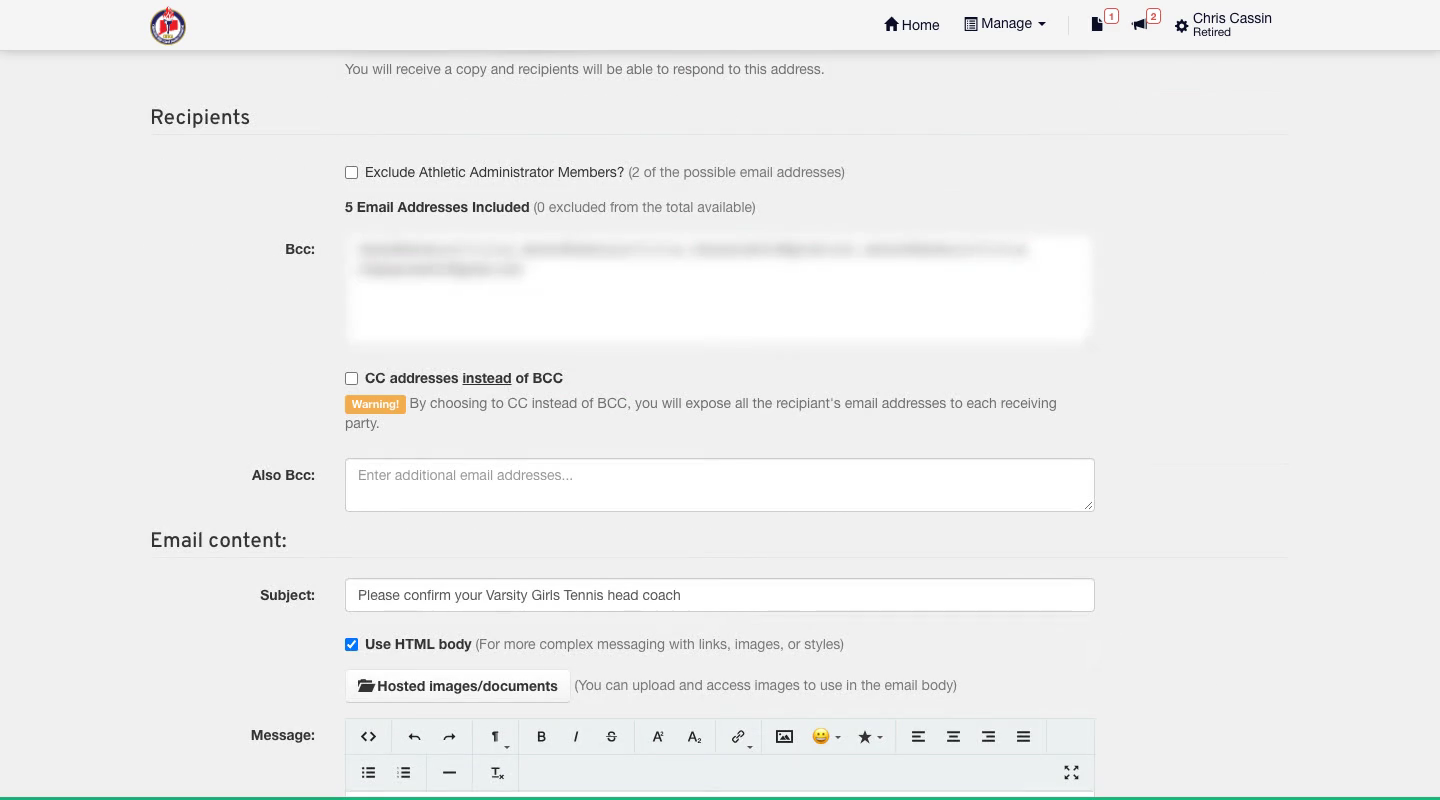
Ask Admins opens an email to every admin at that school, athletic directors included. It explains what’s wrong and links to this page for that team. Review it and click Send Email. You get a copy, and replies come straight to you.
What your athletic director sees
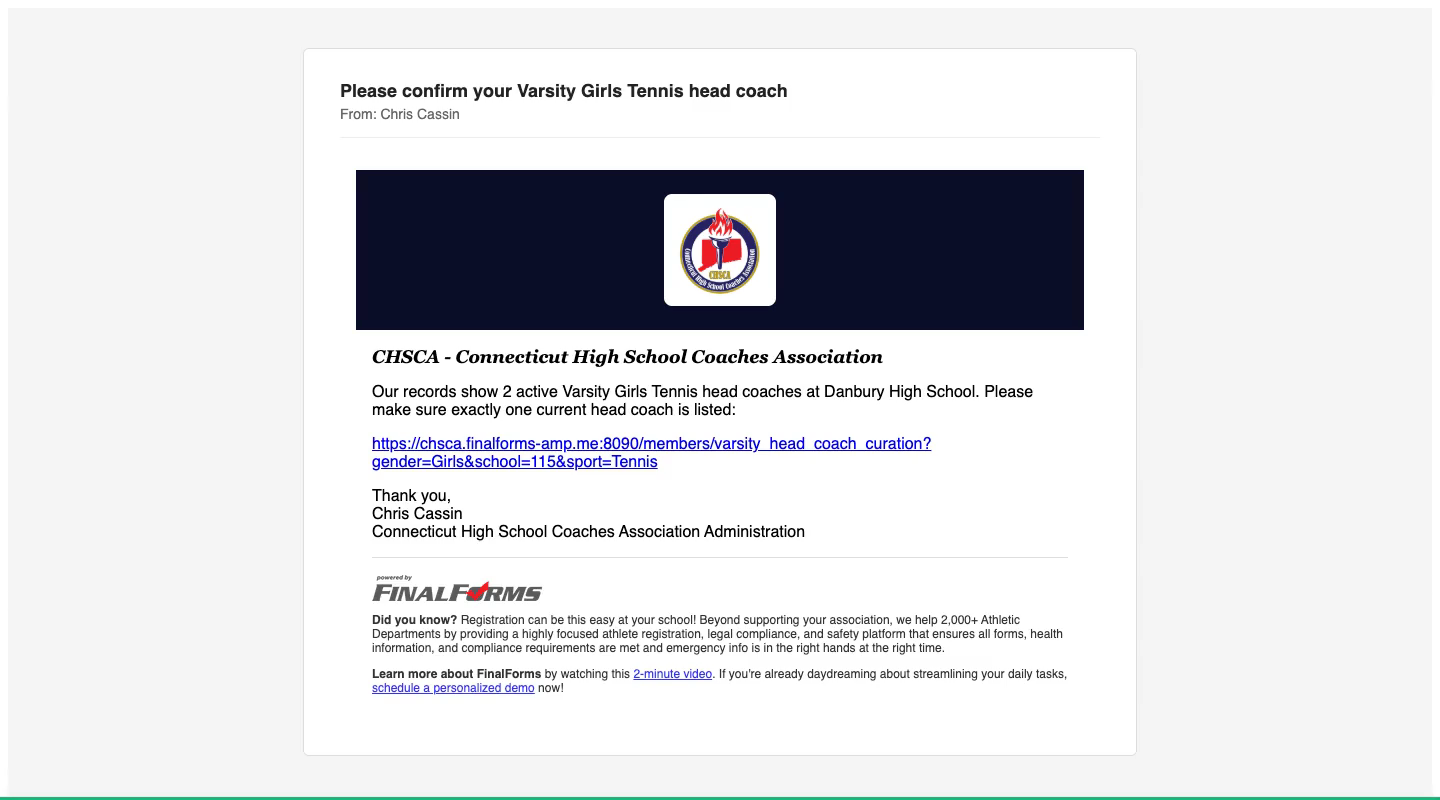
The link opens the same page for the athletic director, showing only their own school. They know who is actually coaching the team, so they remove the extra head coach, and the school drops off your list.
Athletic directors: keep your Coaches list current
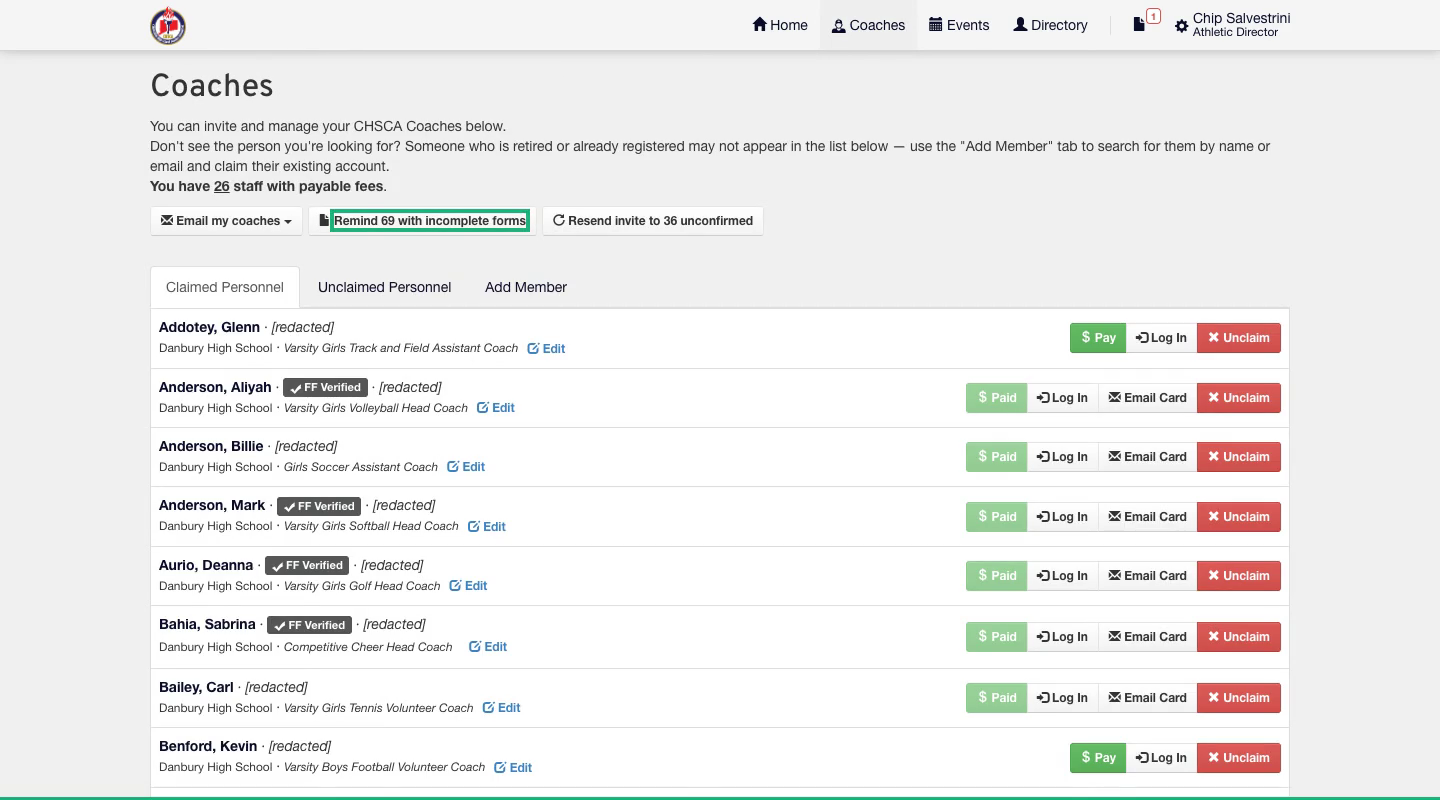
On the Coaches page, athletic directors can email their coaches, remind everyone whose forms are incomplete, or resend invites to coaches who haven’t confirmed their account.
Remove someone who left your school
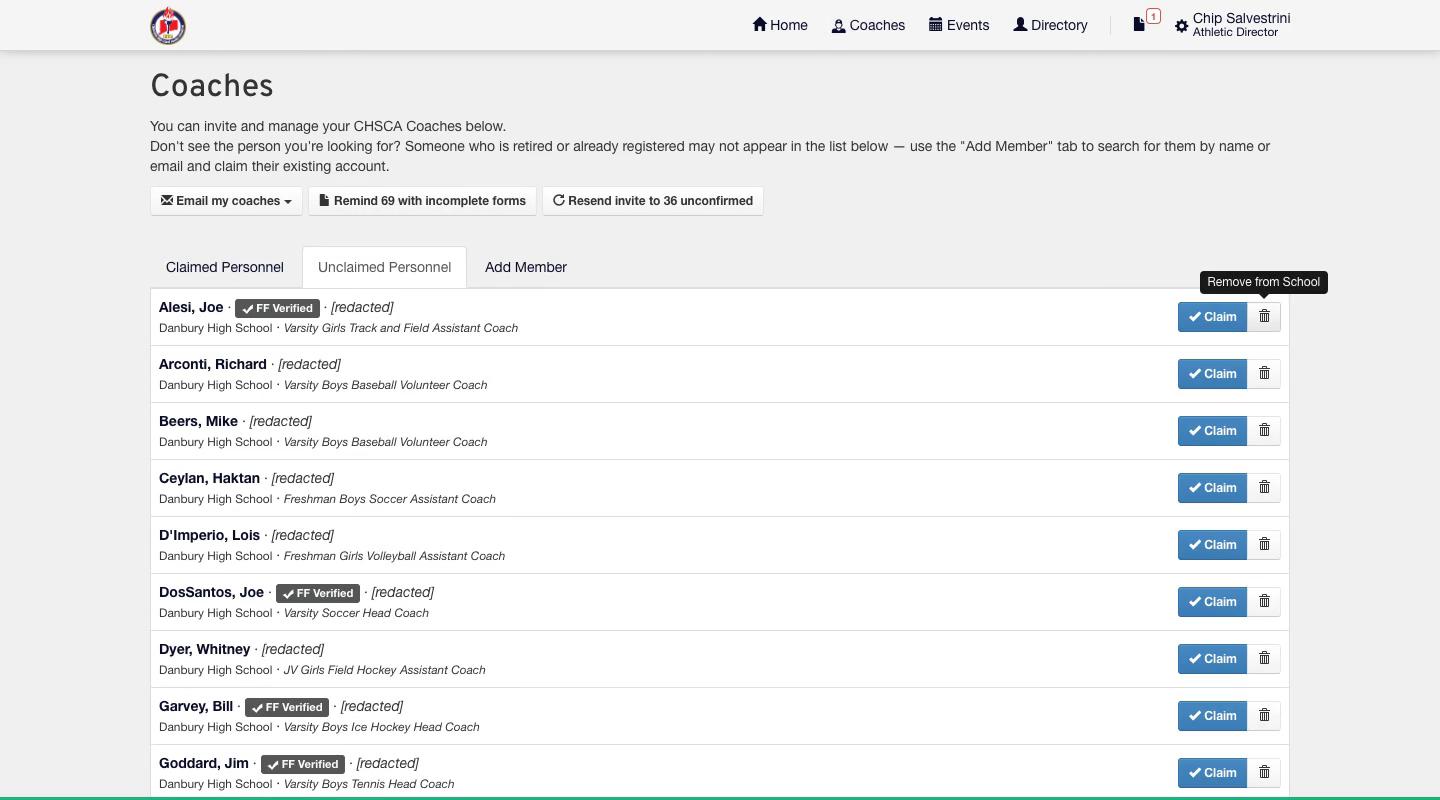
On the Unclaimed Personnel tab, the trash button next to Claim removes the coach from your school. For a coach you’ve already claimed, click Unclaim first.
Good to know
Only your own schools. Athletic directors see and change only the schools they’re an admin of, whatever link they open.
Opted-out admins are included. Ask Admins includes athletic directors who opted out of general association email, since this is about their own school’s data. Before you send, check the exclusion boxes on the email form for anyone you want to leave out.
Watch it end to end
Watch the full walkthrough (1:51). The narration is AI-generated.