
Purpose: Fill in each part of the Student Scholarship application your athletic director started for you, then tell them it is ready to submit.
The problem this solves
Your association’s scholarship application has several parts, and your athletic director cannot fill most of them in for you. Once they invite you to co-edit, you complete your own parts in AMP, and your athletic director submits the finished application to your association.
Before you start
- Your athletic director has started a Student Scholarship nomination for you and invited you to co-edit it.
- You can sign in with the email address the invitation was sent to.
Open the application from your invitation
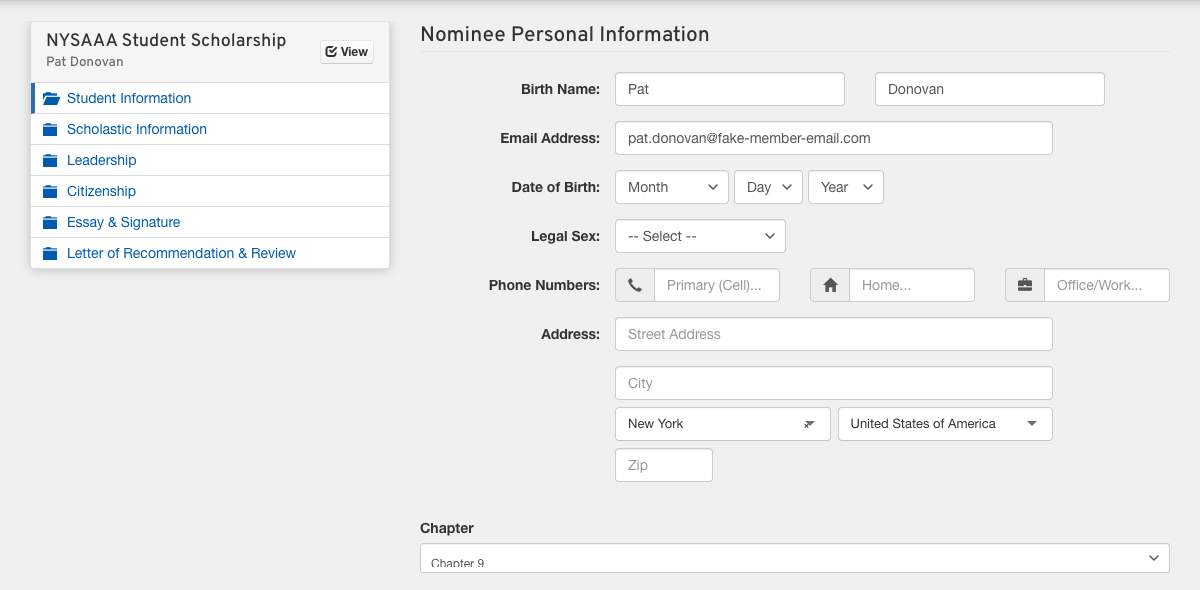
Follow the link in the invitation email and sign in. The application opens on its first part. If your athletic director has already filled something in, such as your school or chapter, leave it as it is unless it is wrong, and if it is, ask them to fix it.
Fill in each part in order
Work down the list on the left. Save & Continue saves the page and moves you to the next part. Save & Exit saves your work so you can come back later from the same invitation link.
- Answer every question on each page. Your association decides the parts. They usually cover your contact and family information, your grades, your sports and activities, and your community service.
- Upload each document the application asks for, such as an essay, a transcript, a résumé or a letter of recommendation, with the upload button on its page. The page says what each one should be.
Tell your athletic director you are finished
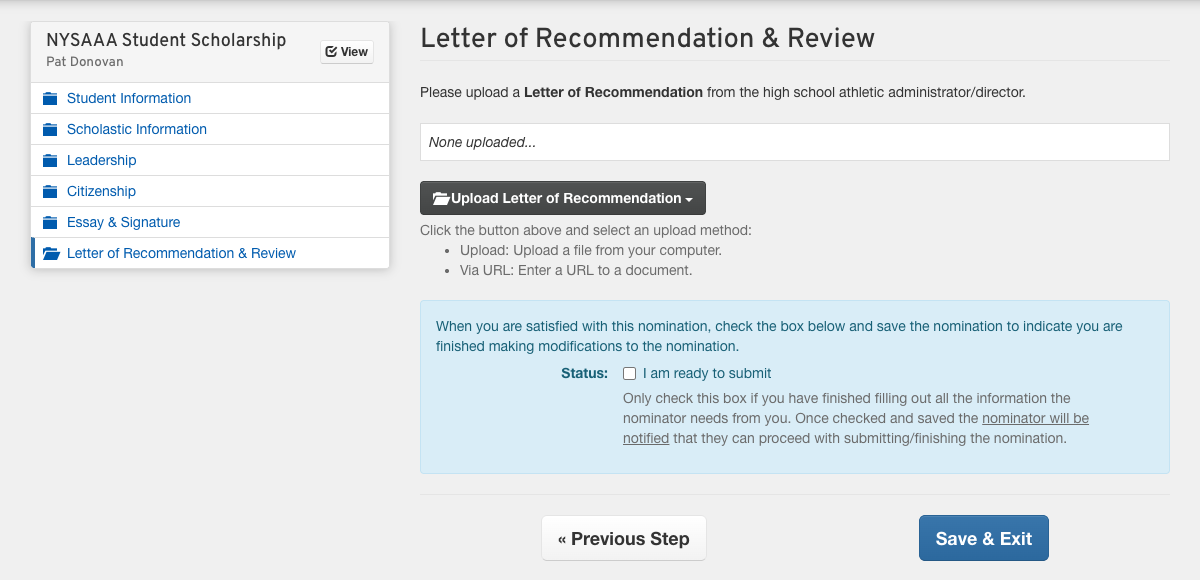
On the last page, tick I am ready to submit and click Save & Exit. AMP notifies your athletic director, who reviews the application and submits it. You do not submit it yourself.
Good to know
- Only your athletic director can submit. If you find a mistake after ticking the box, tell them before they submit, because a submitted application is closed to editing.
- Ask your athletic director for the deadline. Finish your parts early enough for them to review the application before then.