
Purpose: Send one email to the athletic directors of whichever coaches you have filtered to, without looking each AD up by hand.
The problem this solves
When a coach hasn’t paid or hasn’t finished their forms, the athletic director is often the fastest way to get it done. Until now, looping the ADs in meant looking up every coach’s school and copying each AD’s address into the Bcc yourself.
Filter to the coaches you want to reach
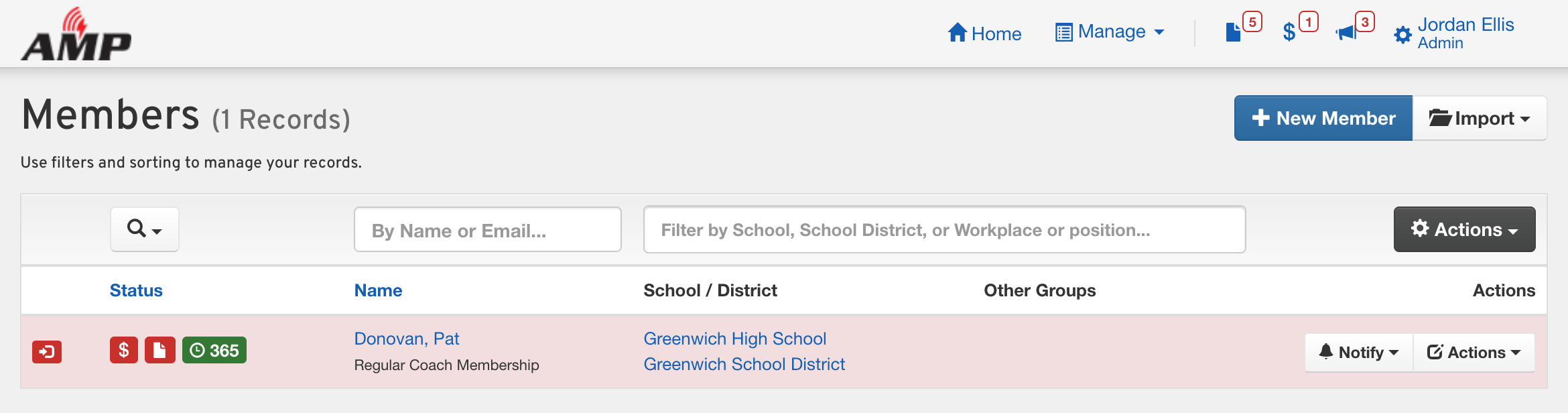
Open Members and filter the list the way you normally would, such as your unpaid coaches or one sport.
Choose who gets the email from the Actions menu
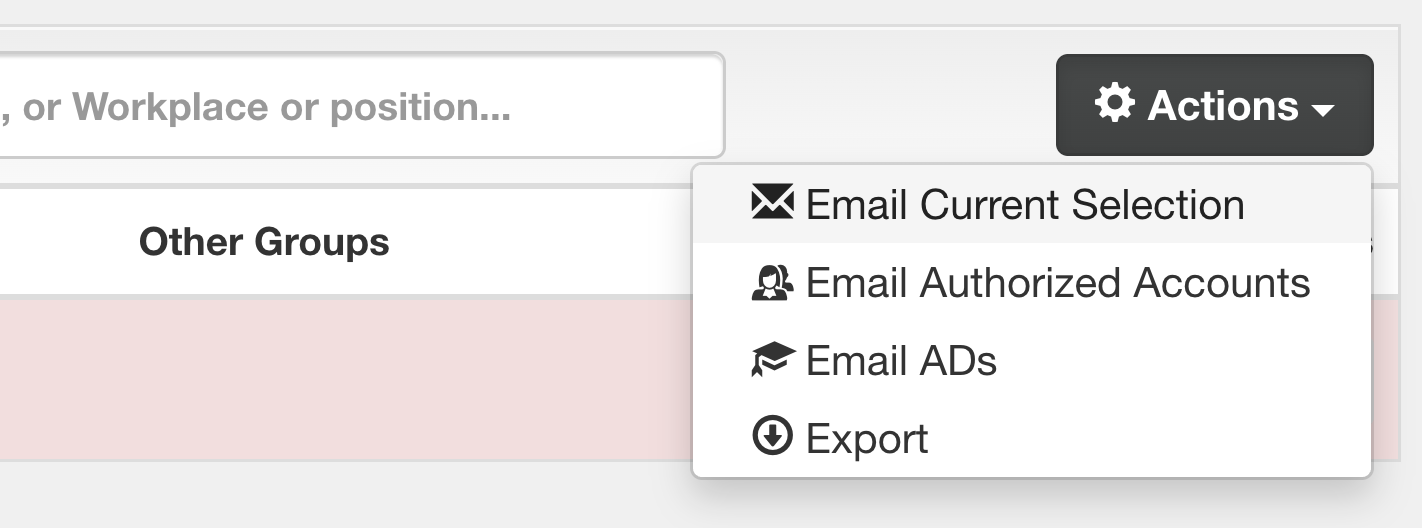
Click Actions and pick one. Each opens the email with its recipients already in the Bcc.
- Email Current Selection emails the coaches themselves.
- Email ADs emails the athletic directors at those coaches’ schools and school districts, whether or not they have ever logged in to manage a coach.
- Email Authorized Accounts emails the people who actually manage those coaches’ accounts: the staff who claimed them, usually an athletic administrative assistant or the AD who set them up.
Write and send
Add your subject and message, then send it like any other email from AMP. Send a test to yourself first if you want to see how it looks.
Good to know
It emails the ADs, not the coaches. To reach both, send your note to the coaches with Email Current Selection, then use Email ADs on the same filter to send the ADs their copy.
ADs or authorized accounts? Use Email ADs when you want the person in charge of athletics at the school, such as for unpaid dues. Use Email Authorized Accounts when you want whoever handles the coach’s paperwork day to day. A school’s AD gets Email ADs even if they have never claimed a coach; an assistant who claimed a coach gets Email Authorized Accounts even though they aren’t the AD.
District and assistant ADs are included. Anyone with an athletic director position at one of those schools or school districts gets the email.
The AD has to be in AMP. It uses the athletic director positions on your members’ profiles, so a school whose AD has no account in your site won’t have anyone to email.