
EVENTS
Let someone who is not a member of your association buy a single event fee — a raffle ticket, a clinic seat, a banquet plate — without filling out a membership application. They get a three-field signup and land straight on checkout. Covers what the buyer sees, how to switch it on for an event, and how these accounts show up on your roster.
Purpose: To allow FinalForms AMP Admins to sell one event fee to people who are not members of the association, without making them apply for membership first.
The problem this solves
The only route to an event fee used to be: log in → already exist as a member → register → checkout. Somebody holding your flyer had no way to start. The workaround was to trim the membership application so outsiders could get through it — which trims it for everyone, including real applicants.
Public Ticket Sales gives that buyer their own path, and leaves your membership application alone.
What the buyer sees
1. Your event page — public, no login wall. Your description, and one button with the price on it.
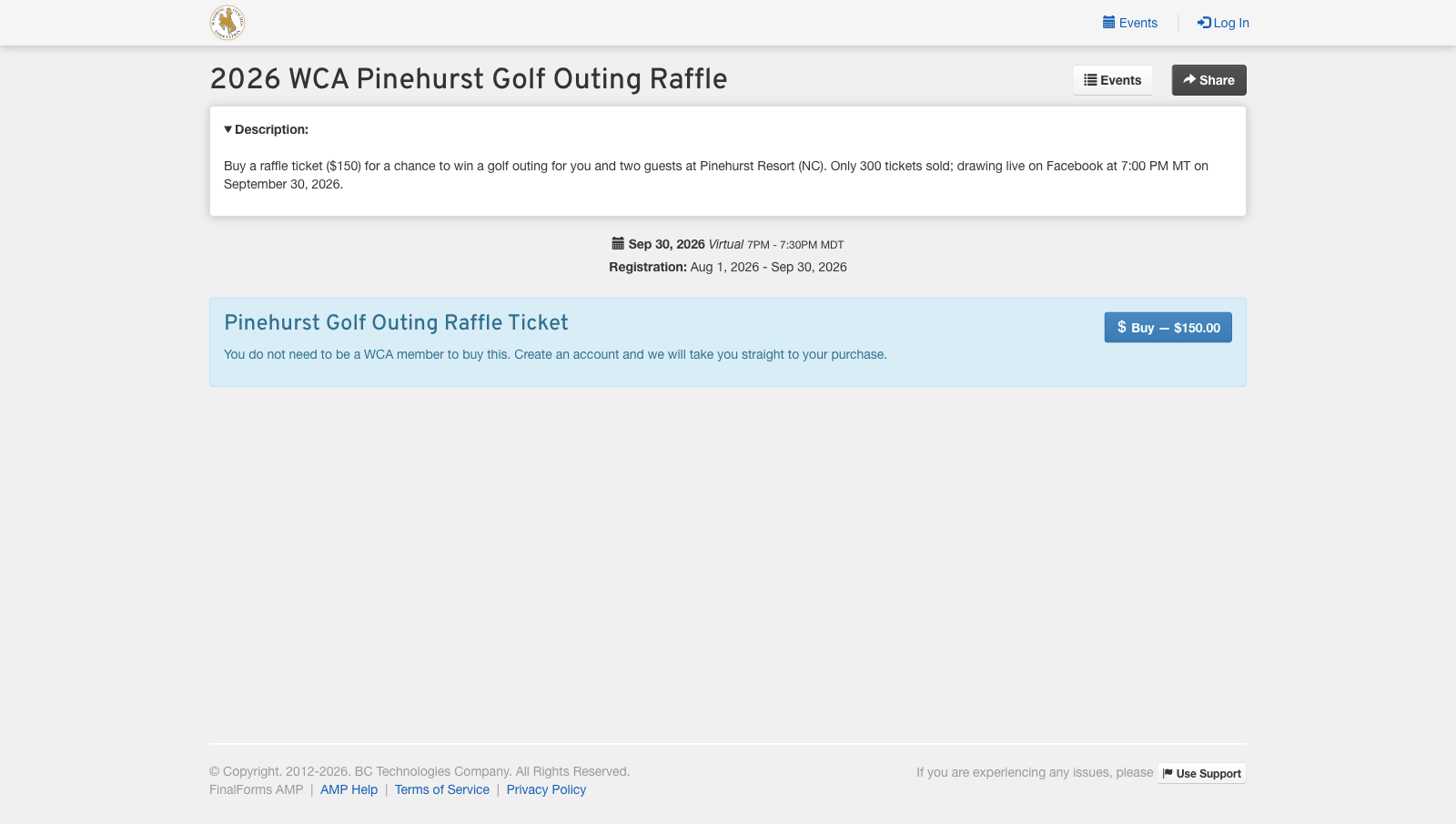
The public event page. No account needed to get this far.
2. A three-field signup. Name and email. No school, no position, no years of service, and no membership category to choose. It says up front that they do not need to be a member, so nobody bails thinking the sale is members-only. The captcha is the anti-abuse gate on public account creation.
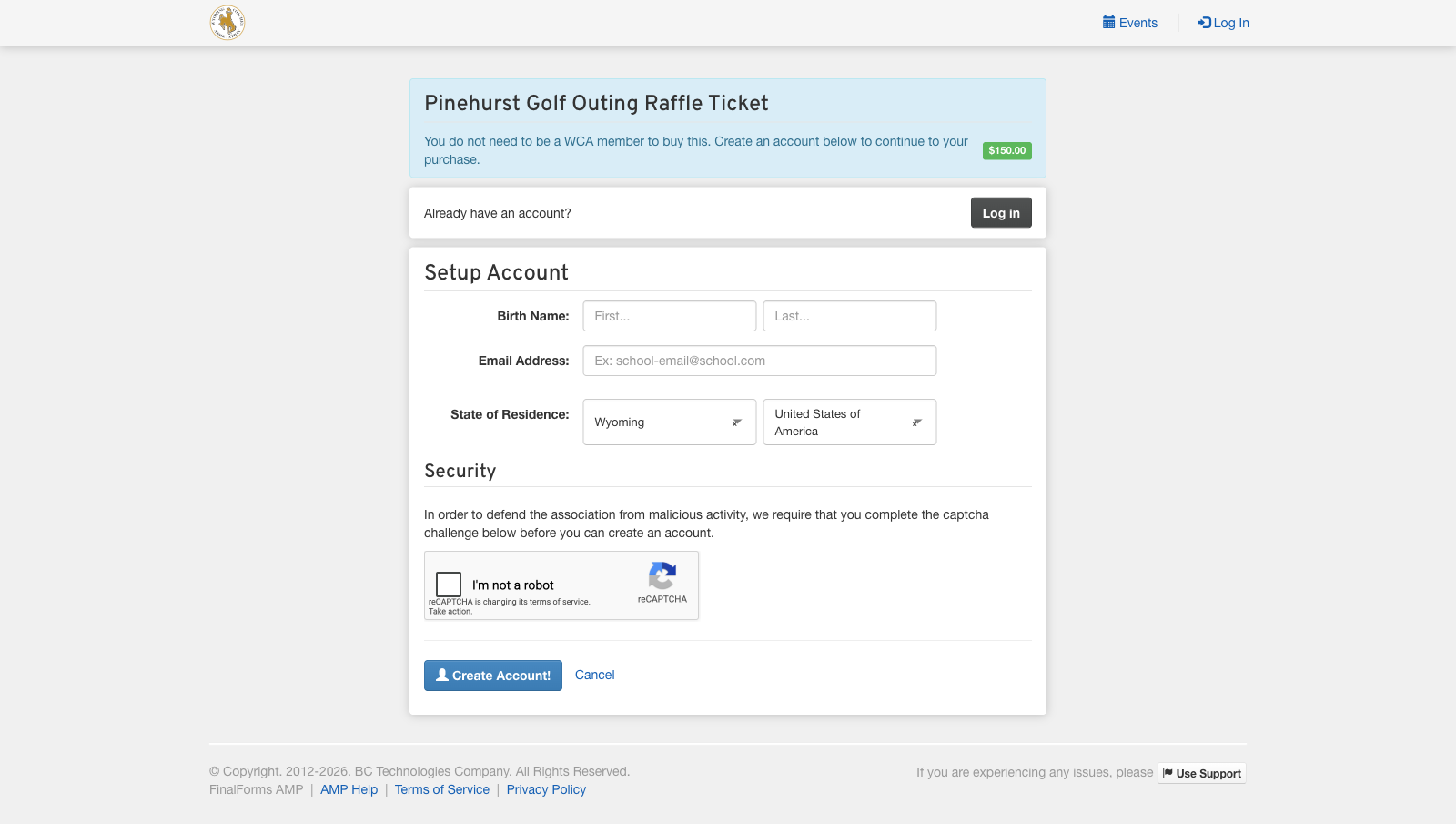
What is being bought, for how much, and the whole form underneath it.
3. They set a password and land on checkout — already registered for the event, ticket in the cart, nothing else on the bill.
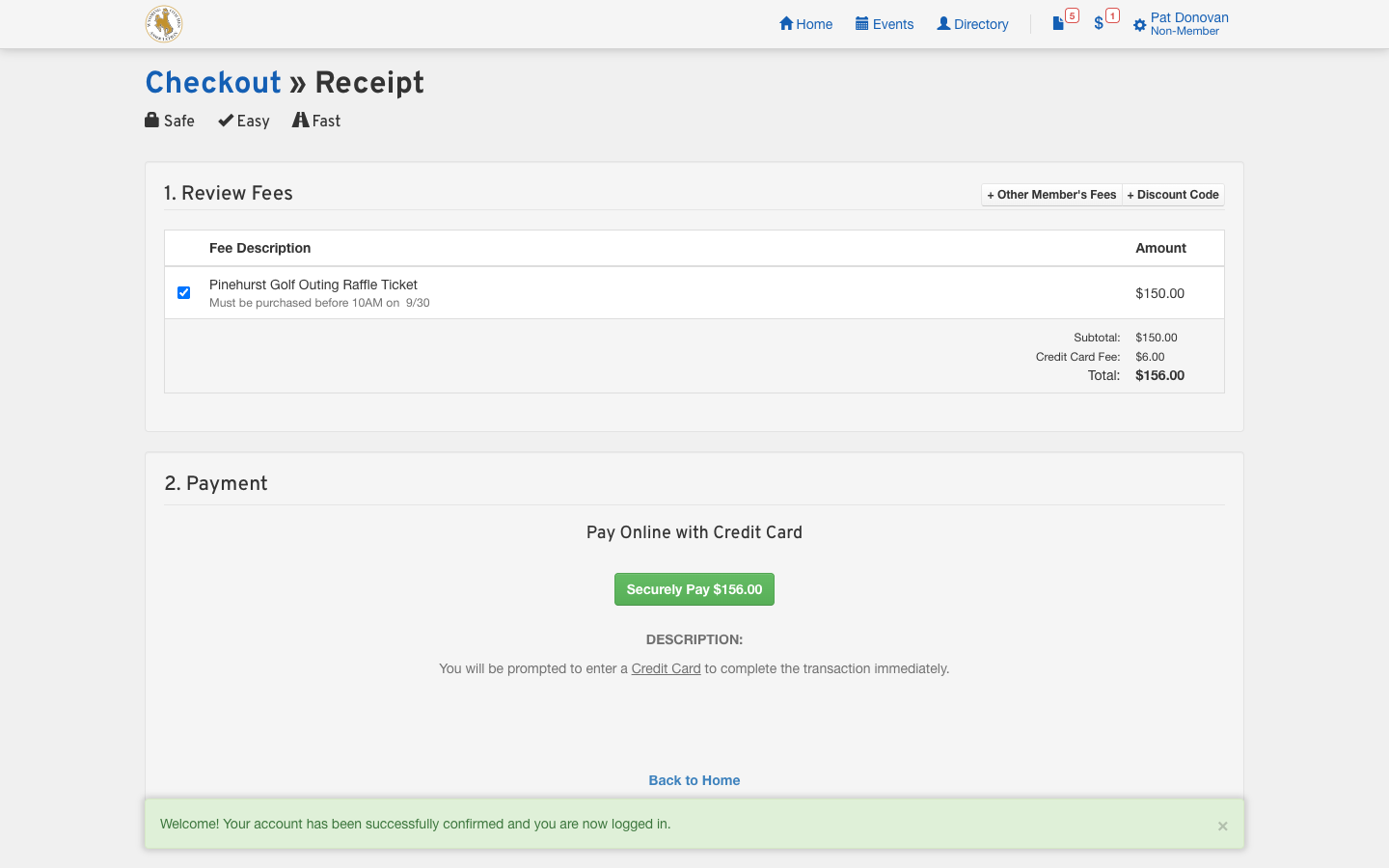
Checkout. Note Non-Member under the buyer's name.
How to turn it on
1. Edit the event. Under the Public Ticket Sales section, tick Is Streamlined Ticket Purchase.
2. Point it at a fee. If the event has exactly one fee, that fee is claimed automatically and you are done. If it has several, edit the one you want to sell and tick Public Ticket Fee under its own Public Ticket Sales section.
3. Share the event page URL — the Share button at the top right of the event page gives it to you. That link is what goes on the flyer, the email blast, or the QR code.
Good to know
Buyers are not members. They are created in the closest thing your association has to a non-member category, so they are not counted in your membership, not billed dues, and not included in renewal emails. If you have not configured a non-member category, buyers fall back to your default membership category — a real, dues-bearing membership. Worth setting one up before you advertise a sale.
They are charged your fee's Non-Member amount, and that is the price shown on the signup page.
They do get a real login. That is what lets them pull up their own receipt, and lets you see exactly who bought without keeping a spreadsheet.
Approval is automatic, because an unapproved account cannot pay. The one exception is respected: if your association is set to Manually review every new member account, including invitees, ticket buyers wait for review like everyone else.
One fee per event. The public button sells a single fee. It also stays hidden when the sale would not make sense — outside the registration window, on an archived event, on a group-restricted event, or on an event that allows partial registration.
Watch it end to end
45 seconds, no audio — a buyer going from the event page to checkout: Watch the buyer's journey